

Login
How do I change my UI username? Open
You can change your username which shows in the UI by accessing your Account Settings.
There are two ways to access Account Settings.
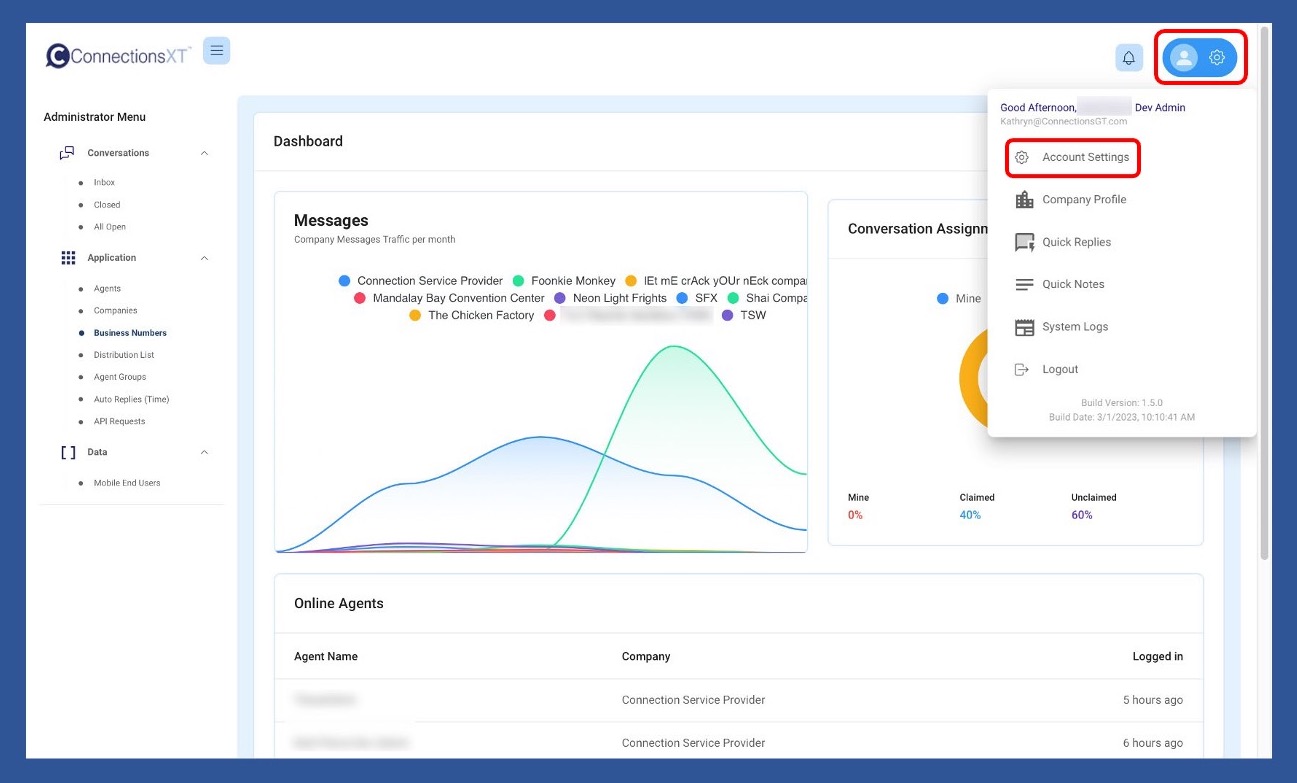
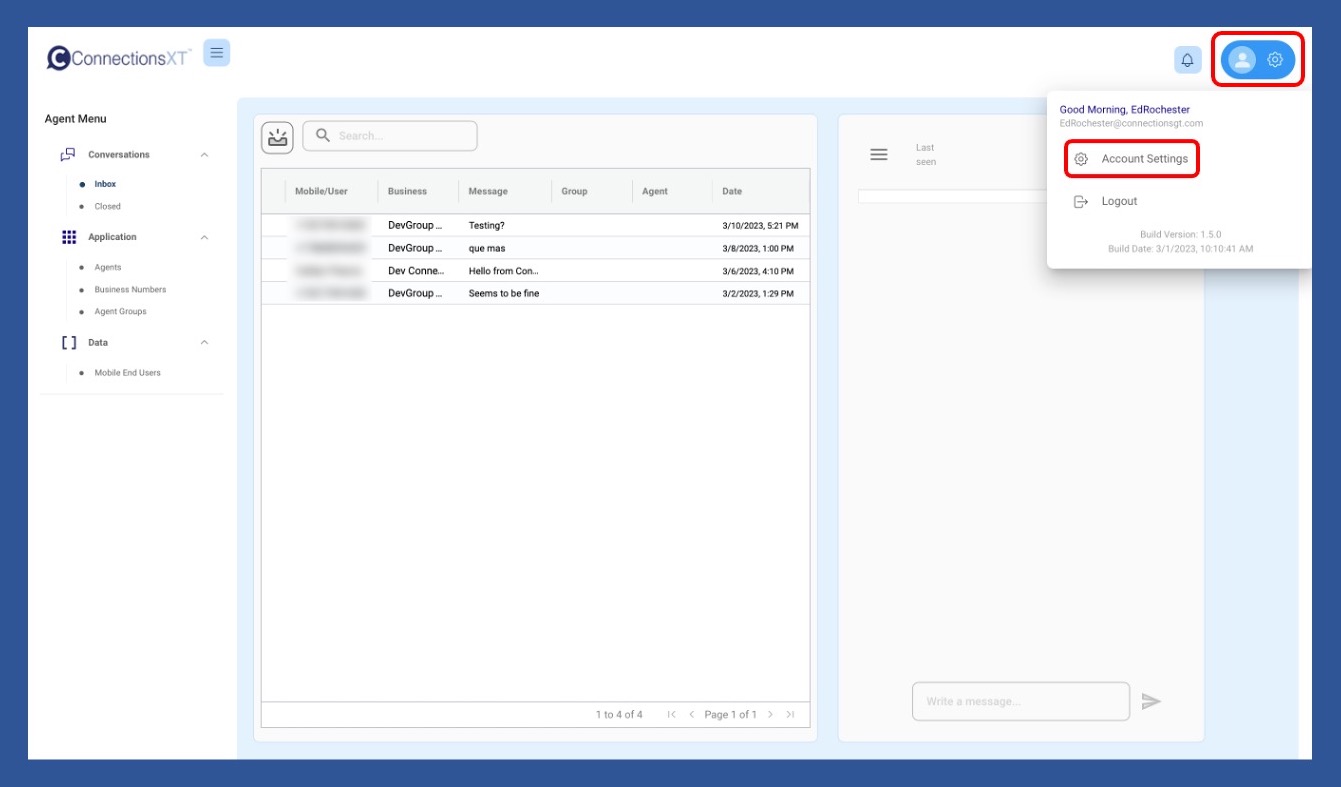
The first way is to click on the Profile/Gear icon in the upper right-hand side of your screen, and then choose Account Settings from the dropdown menu.
The Agent Menu
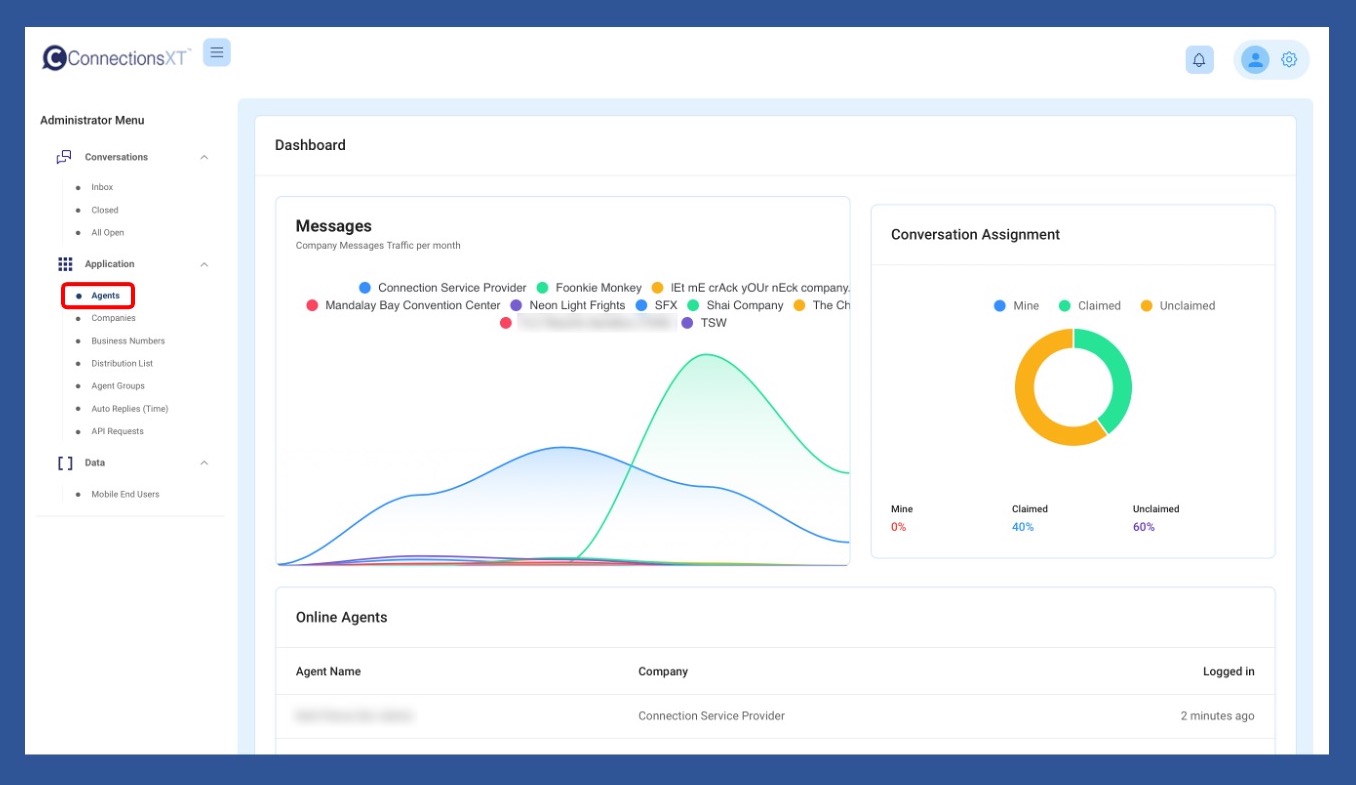
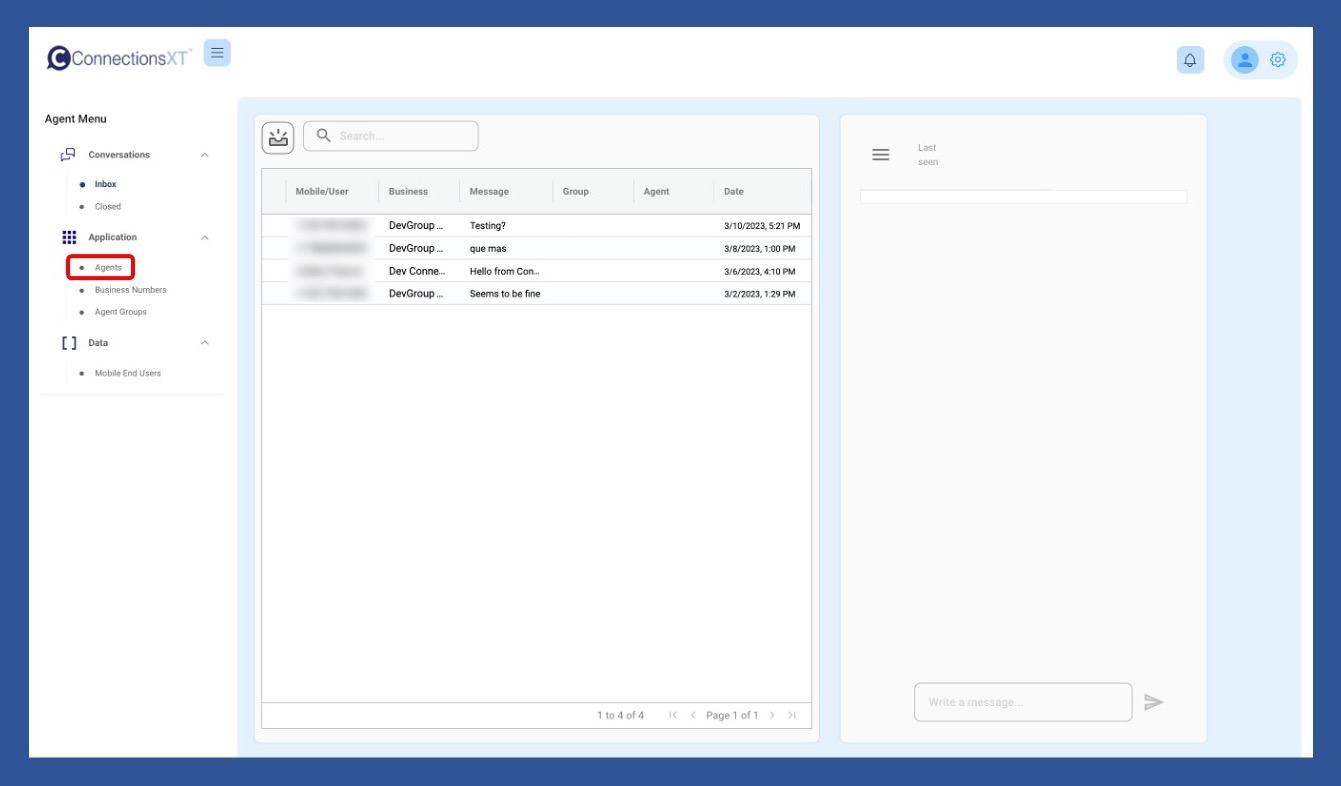
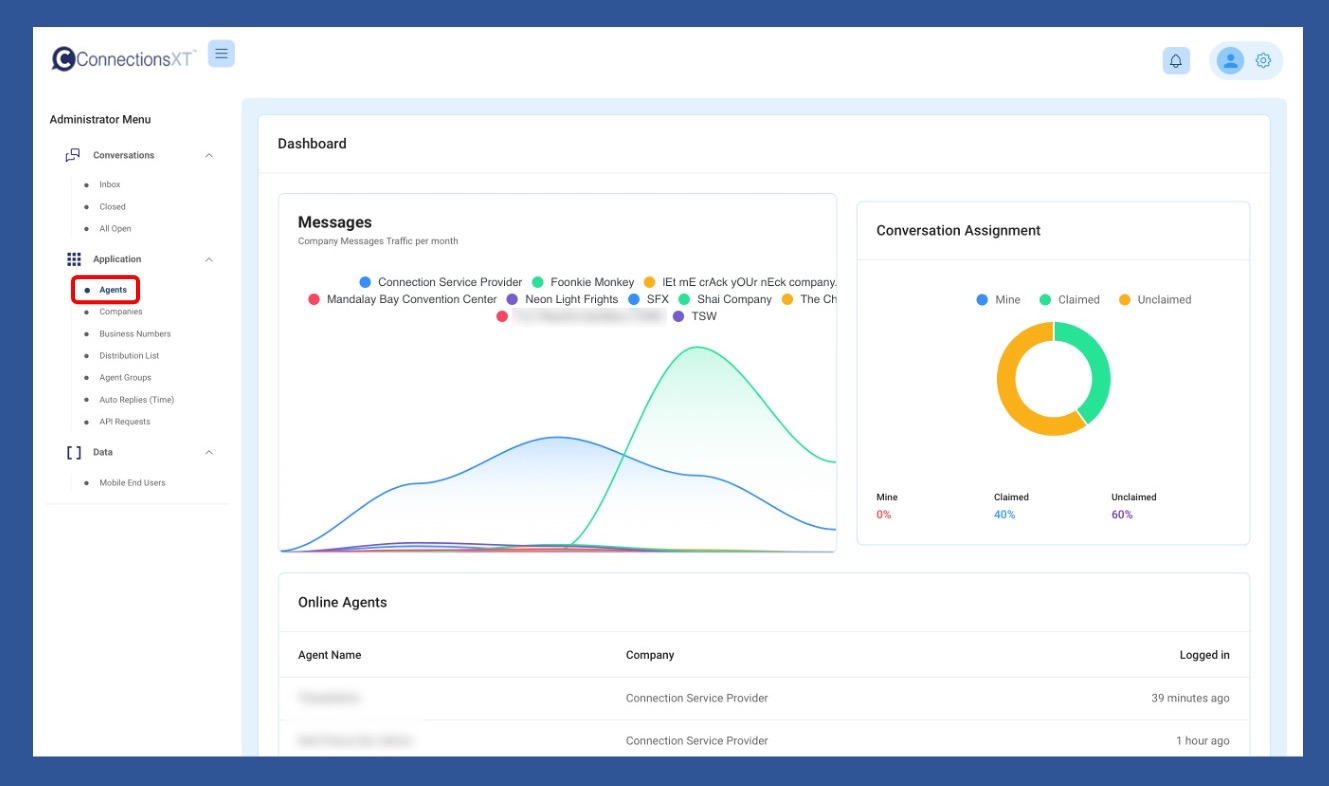
The second way to access Account Settings is to click on Agents in the Application section of the Administrator/Supervisor or Agent Menu.
The Administrator Menu - the Supervisor Menu looks exactly the same (except that it says Supervisor.)
The Agent Menu
Then click on the Info/Profile icon to the left of the agent whose account you’d like to access.
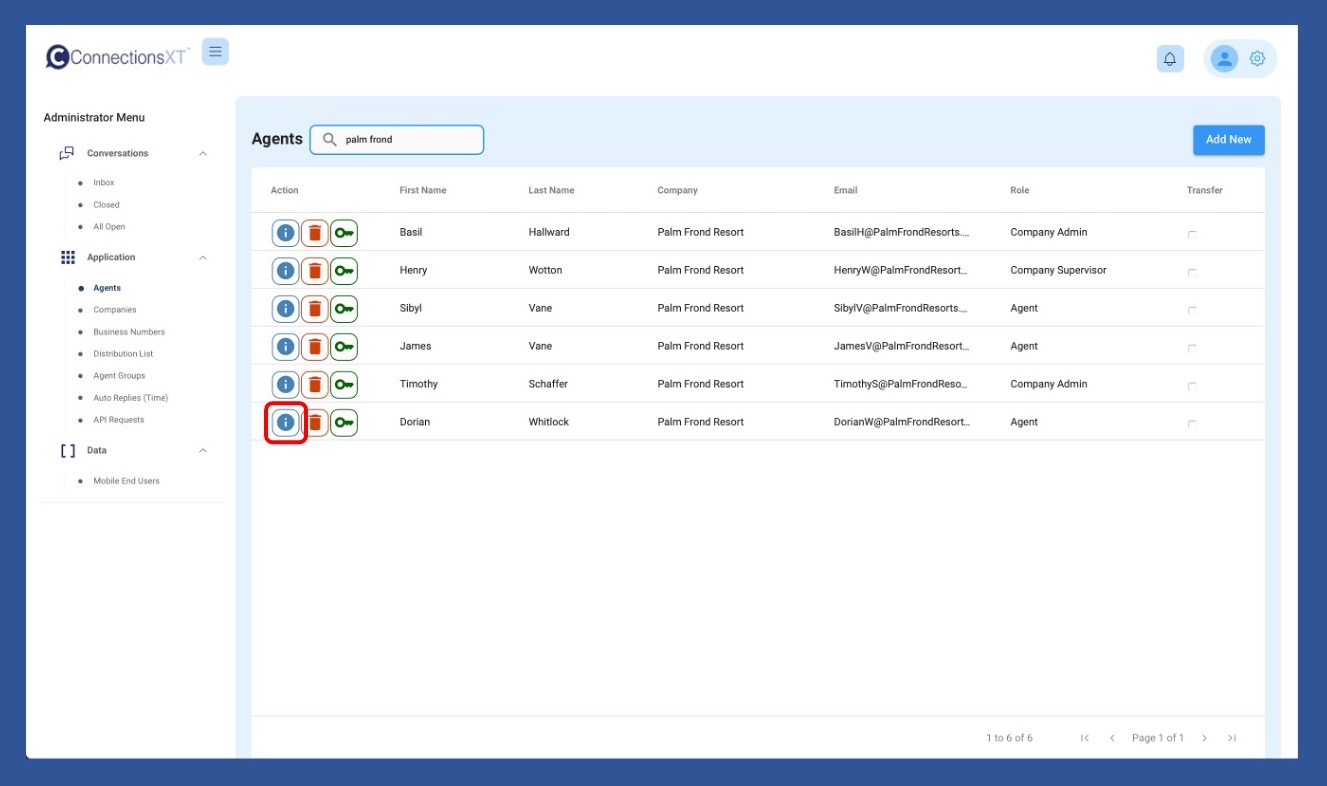
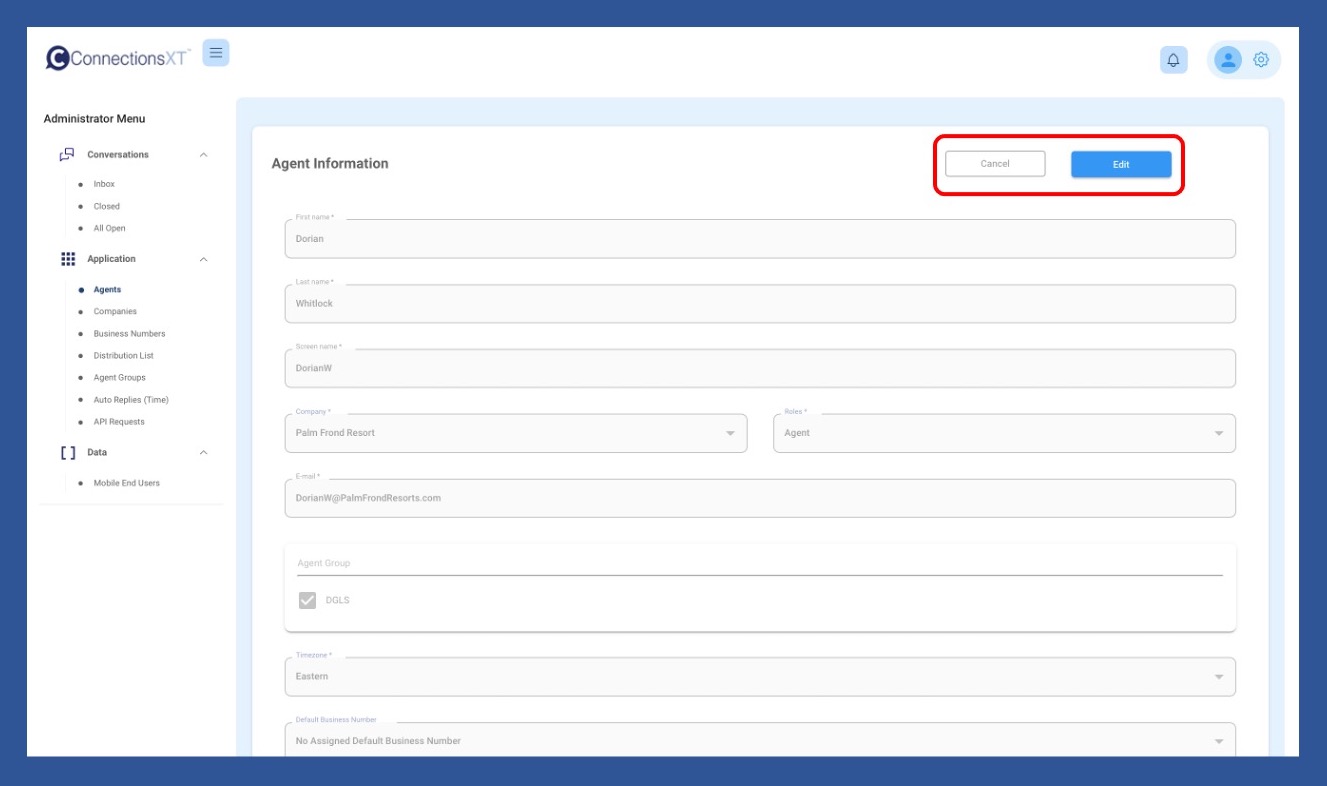
Once the Agent Information page pulls up, look over your information. If no information needs to be changed, click Cancel to exit. If information needs to be updated, click Edit.
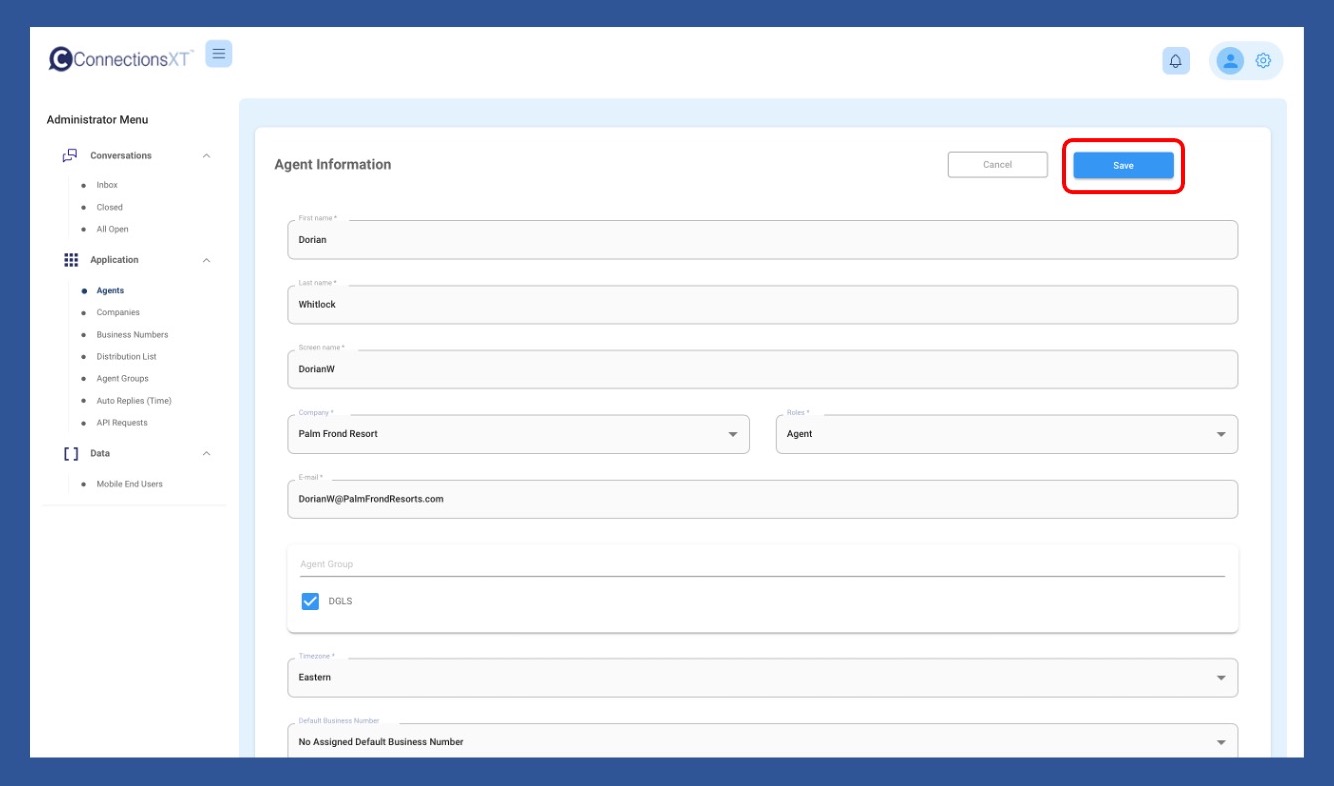
Once updates are completed, click Save. You will then be returned to the Agents page.
Why can’t I log in using my selected username? Open
You may be trying to use the username which shows in the User Interface (UI) after you log in. Use your company email in conjunction with your password to log in.
I’m an Administrator or Supervisor. How do I reset a password? Open
To reset or change a password, begin by clicking on the Agents link in the Applications section of the Menu.
Once the Agents page pulls up, search for the agent by name using the Search Box or the scroll bar (which will show on the right-hand side of the white section) and the page navigation menu (at the bottom right of the white section), if the list spans multiple pages. When you have located the agent’s name, click on the Key icon.
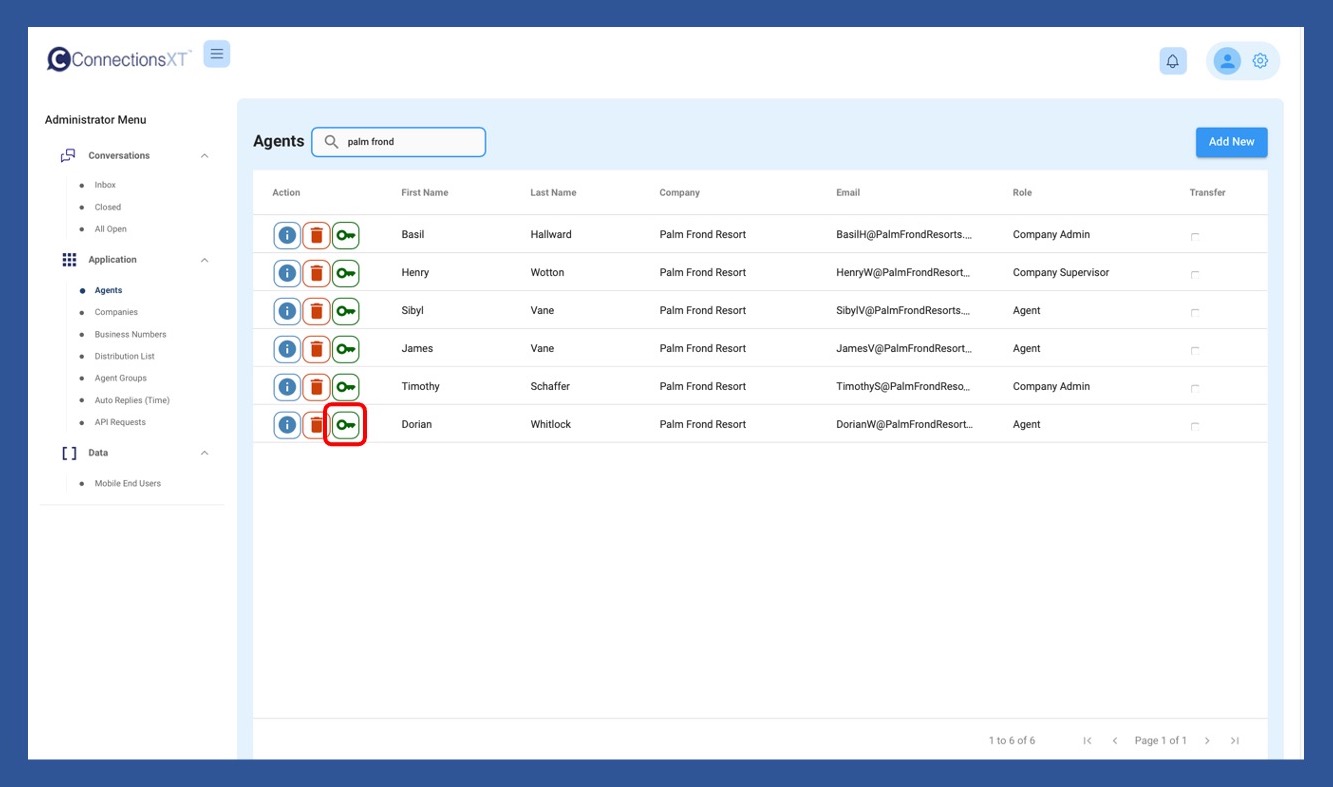
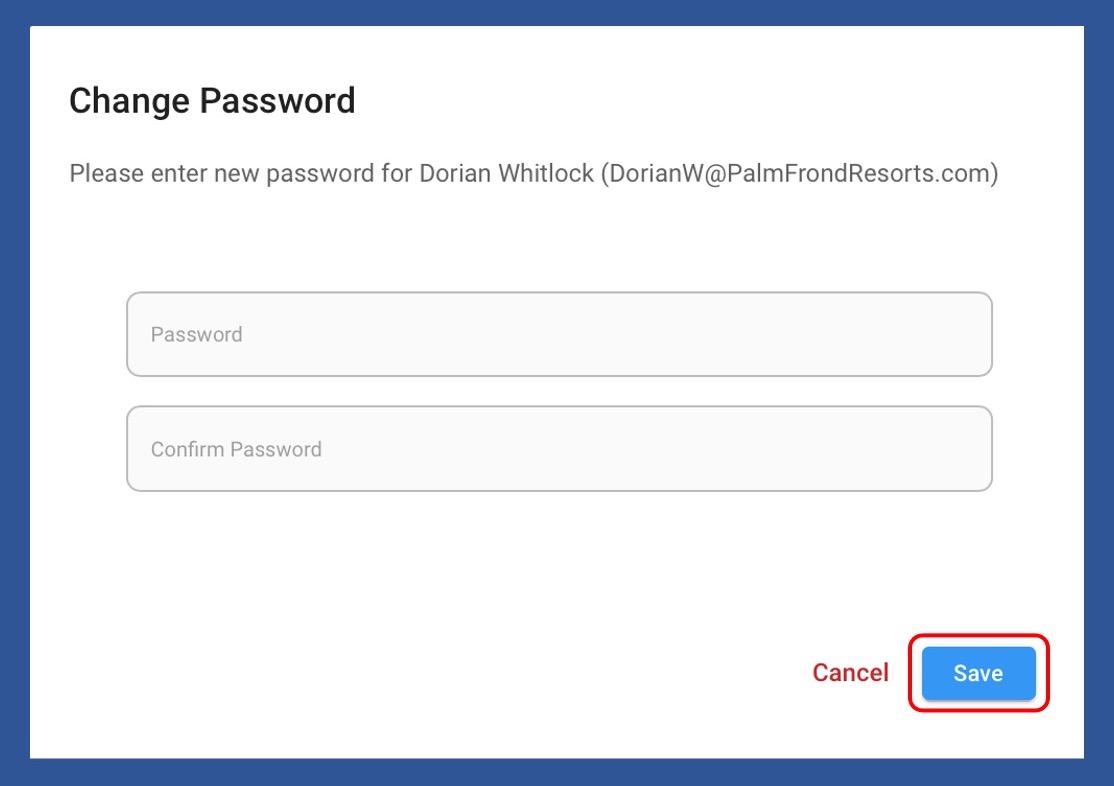
When the Change Password popup box appears, enter the new password, confirm it, and click Save.
The Agent may then log in using the newly created password and update their own password using the same process.
If for any reason you choose NOT to change the password, click Cancel to return to the list of Agents
If you run into any problems, reach out to ConnectionsGT Customer Support at
I forgot my password / my password isn't working. I don't see a link to reset it. How can I update my password? Open
As a security precaution, if an Agent is locked out, their password can only be reset by either a company Administrator or Supervisor. Please contact the appropriate person at your company if you can't log into your account.
About Us
Our mission is to advance the communication between businesses and customers, employers and employees, family and friends. Effective communication is the key to success. Connections strives to develop and continually refine electronic communication features to provide insight and productivity.